

Configure Return Policies
This guide covers the policy controls in ShipBob Returns: return windows, customer outcomes, return reasons, item eligibility, and when to use manual review instead of auto-approval.
Return Policy Settings
In Settings, review the core policy controls:
How the Return Window Works
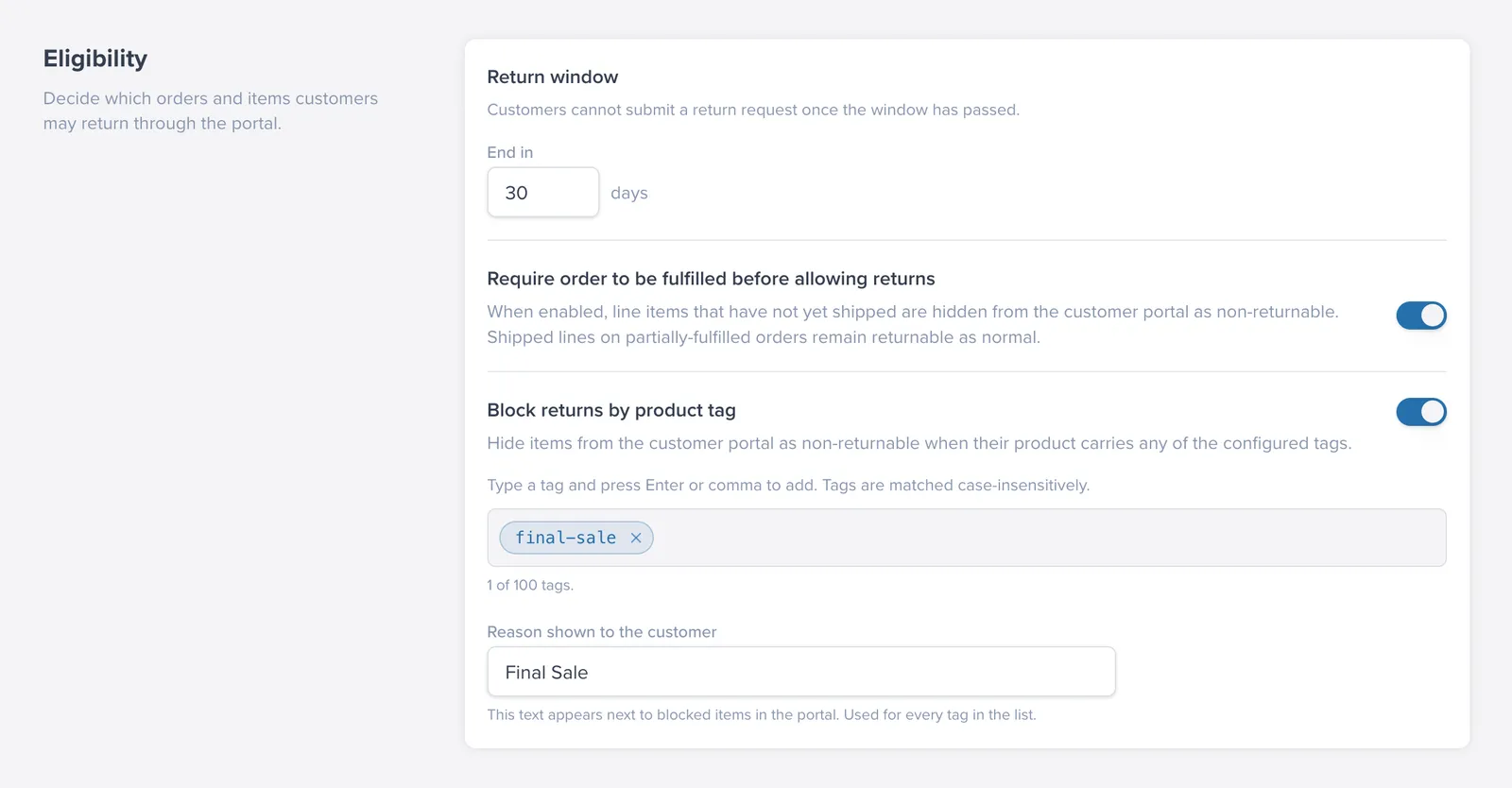
The return window counts from the date the order shipped - specifically, not from the date the order was placed.
This means:
- If an order has not shipped yet, the window falls back to the order creation date. In practice, these orders are usually blocked when Require order to be fulfilled is on.
- Setting the window to
0disables it entirely and allows unlimited returns.
When a customer looks up an order outside the window, eligible items show as blocked with a Return window expired message.
Adding Return Reasons
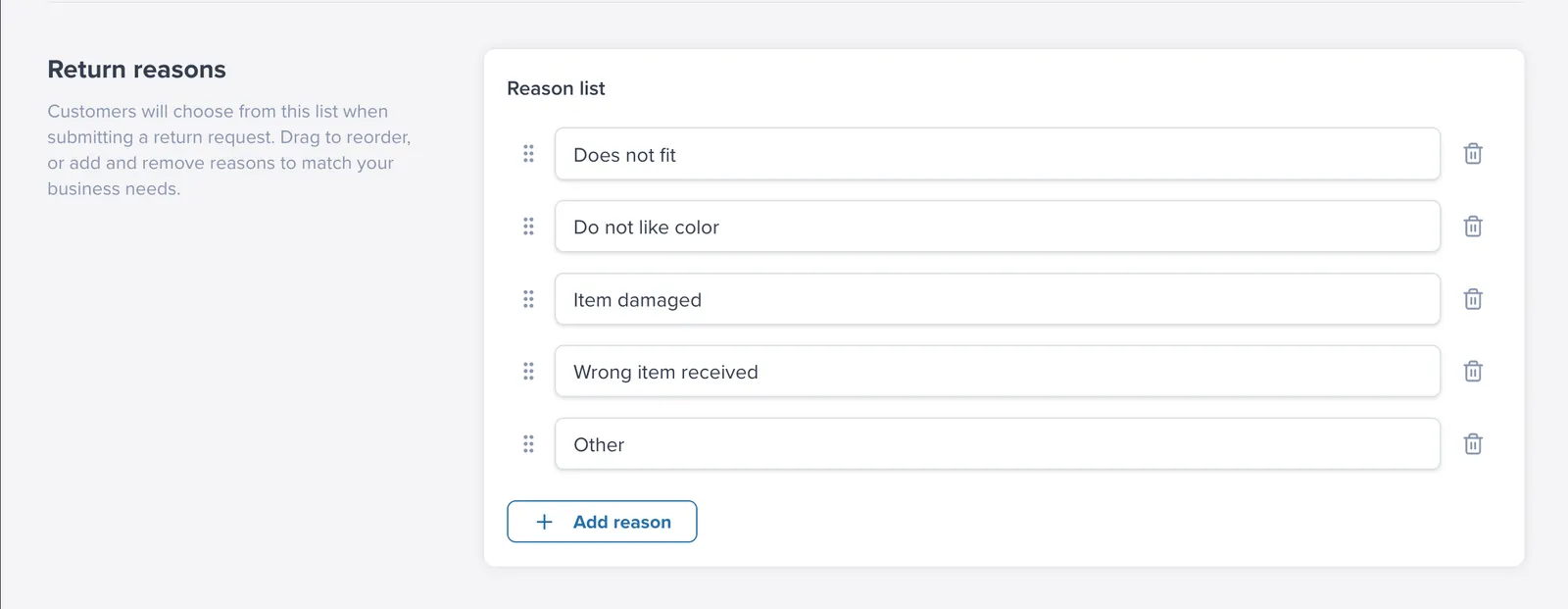
Customers must pick a reason for each item they return. In Settings, you control the list of reasons shown in the portal.
ShipBob Returns includes a standard set of reasons, such as:
- Looks different to image on site
- Arrived too late
- Doesn’t suit me
- Item damaged
- Others
You can:
- Add your own reasons
- Remove reasons that do not apply to your business
- Drag to reorder reasons so they appear in the portal the way you want
- Mark reasons for future replacement eligibility planning (replacement is not available yet)
- Mark reasons that waive refund deductions, such as restocking or label fees, when the fault is yours
Return reasons also feed your automation rules. Every reason is available as a condition in Flows, so a reason like Parcel damaged on arrival can require photos and a manual review, while Doesn’t suit me can go straight through auto-approval.
Manual Review vs. Auto-Approval
Use auto-approve return labels when your return rules are straightforward and you want customers to move through the process without manual review.
Use manual review when you need to inspect customer responses first, such as:
- Damaged-item claims
- High-value products
- Items with condition questions or photos attached
- Exceptions to your normal return policy
Examples:
- A 30-day return window is a common default for standard apparel.
- If an item is marked damaged, you may want to route it to manual review even if standard returns are auto-approved.
FAQ
Is the return window based on order date or ship date?
It is based on ship date. If an order has not shipped, the system can fall back to order creation date, but unfulfilled orders are typically blocked when fulfillment is required.
What does setting the return window to 0 do?
A value of 0 disables the return-window limit and allows unlimited return age.
When should I choose manual review instead of auto-approval?
Use manual review for risk-sensitive cases like damage claims, high-value products, and flows that rely on customer-uploaded evidence.